
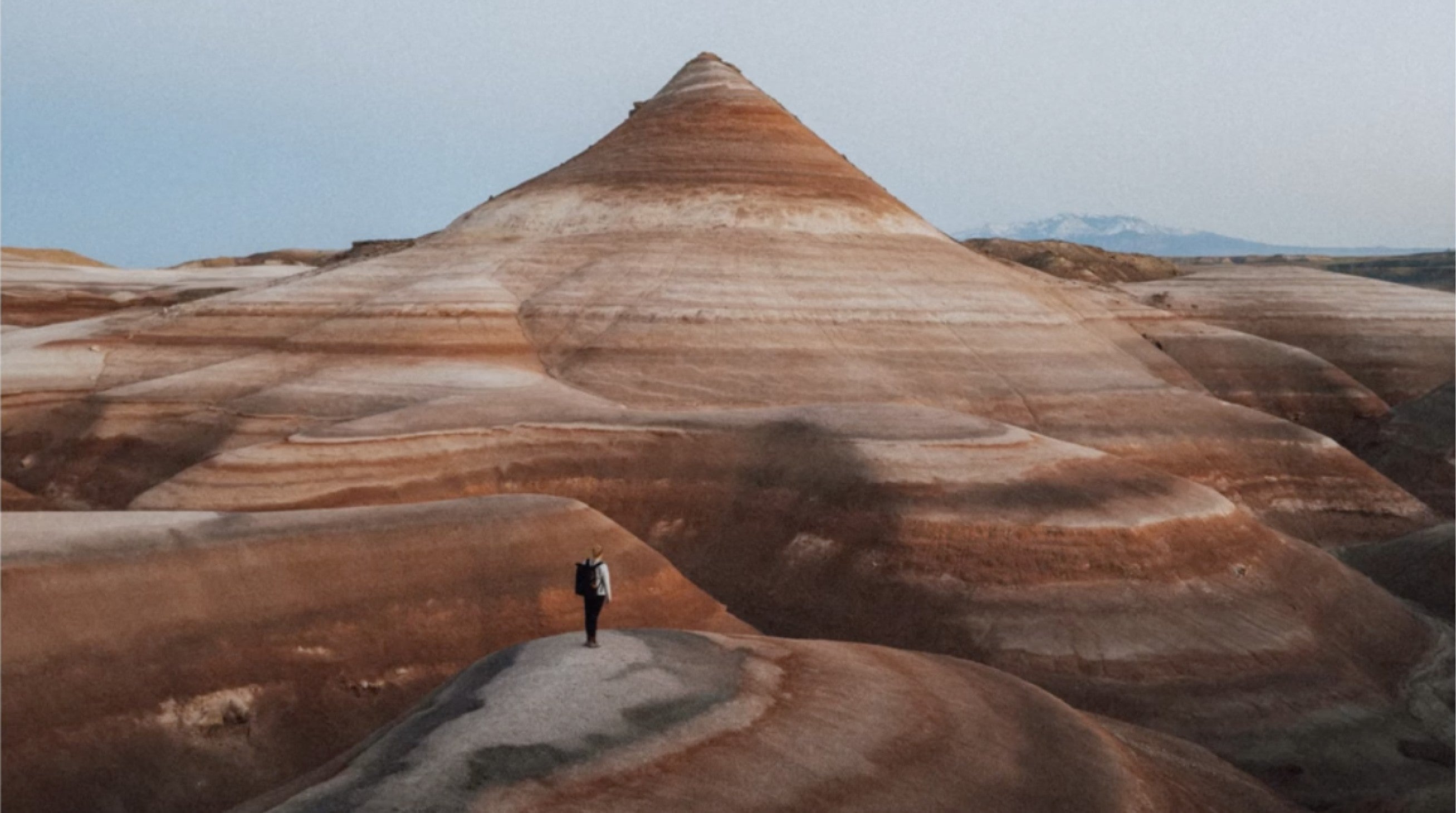
TL;DR
In 2026, iPhone photography and mobile filmmaking have stopped being “surprisingly good.” They’re simply good—because the iPhone camera is now built for real workflows: Apple Log 2, ACES, ProRes, ProRes RAW, timecode, and genlock all signal the same shift: your phone isn’t just capturing moments, it’s capturing footage.
At the same time, the ecosystem around the iPhone—external SSD recording, pro docks, multicam on iPad, broadcast-grade streaming, and AI editing—is turning mobile cinematography into a repeatable craft. Not a hack. A habit.
- The camera you carry is now the camera you can build on
- “Pro video” isn’t a mode anymore. It’s the default direction.
- External recording is becoming normal (because quality eats storage)
- Camera apps are turning into production apps
- Multicam isn’t “studio gear.” It’s an iPad and a few iPhones.
- Telephoto is the new creative frontier (and it’s changing how people see)
- Live streaming is evolving from “phone live” to broadcast-grade
- AI editing is becoming the invisible assistant (not the headline)
- Mobile cinematography is being validated at the highest level
- The iPhone camera is becoming a system—and systems reward great gear
- Sources
The camera you carry is now the camera you can build on
Every year, smartphone camera marketing promises “bigger sensors” and “better low light.” 2026 is different. The story isn’t only about what the iPhone camera can do—it’s about what it can connect to.
Think of the iPhone as a perfectly machined lens mount in disguise. The glass and sensors are only the beginning. The real trend is this: mobile photography is becoming modular, and iPhone videography is becoming a workflow—capture, monitor, record, grade, deliver—without leaving the mobile ecosystem.
“Pro video” isn’t a mode anymore. It’s the default direction.
There was a time when “shooting Log” sounded like something you did on a cinema camera—then spent a weekend learning how to color grade. In 2026, iPhone filmmaking is heading straight into that lane: Apple Log 2, ACES, ProRes, and even ProRes RAW are now part of the iPhone’s vocabulary.
And the deeper tell is this: the iPhone camera isn’t just capturing “pretty.” It’s capturing flexible—footage designed for matching shots, matching cameras, and matching scenes. It’s made to be shaped, not simply watched. When your iPhone video is intended for a color pipeline, the rest of your setup starts to matter in a new way—not as accessories, but as the quiet infrastructure that keeps your footage clean and consistent.

The moment you step into Log and ProRes, you start noticing everything the camera also records: micro-shake, mixed lighting, hollow audio, clipped highlights. Pro capture raises the ceiling, but it also raises your standards.
That’s why 2026 is also the year of pro-grade mobile gear: stabilization grips that steady handheld shots, rigs that keep your iPhone filmmaking setup balanced, mobile lenses that extend the iPhone camera’s creative range without relying on digital crop, and lights that give skin tone and texture somewhere to live. Your iPhone can now hold detail—so you want your tools to protect it.
Think of it like this: once your iPhone camera can shoot like a cinema camera, you start treating it like one. A grip becomes your tripod you can walk with. A light becomes your controlled sun. A lens becomes your storytelling choice. And the rig is the frame that makes the whole system disappear—so what remains is the shot.
External recording is becoming normal (because quality eats storage)
When you shoot higher quality, you don’t just need better pixels—you need a place to put them. In 2026, one of the most practical iPhone camera trends is also the least glamorous: external storage recording.
Apple explicitly calls out ProRes recording with external storage, up to 4K at high frame rates, which pushes creators toward SSD-based workflows that feel more like production than “camera roll.”
That shift changes behavior: creators plan shoots around media management, not just composition. They offload, label, back up, and move footage with intention—because the iPhone is now producing files worth treating like files.
Camera apps are turning into production apps
The iPhone’s native Camera app is brilliant for speed. But 2026 is about control—repeatable results, predictable color, consistent exposure, and footage that behaves in post.
That’s why the rise of dedicated “pro camera” apps matters. Final Cut Camera is positioning iPhone capture as part of a larger pipeline: features like Apple Log 2, ProRes RAW, and timecode options make it feel like a real set tool, not just an app.
In parallel, Blackmagic Camera pushes iPhone videography toward the language of broadcast and cinema—manual control, monitoring, and integrations that expect you to be serious about what happens after record.
Multicam isn’t “studio gear. It’s an iPad and a few iPhones.
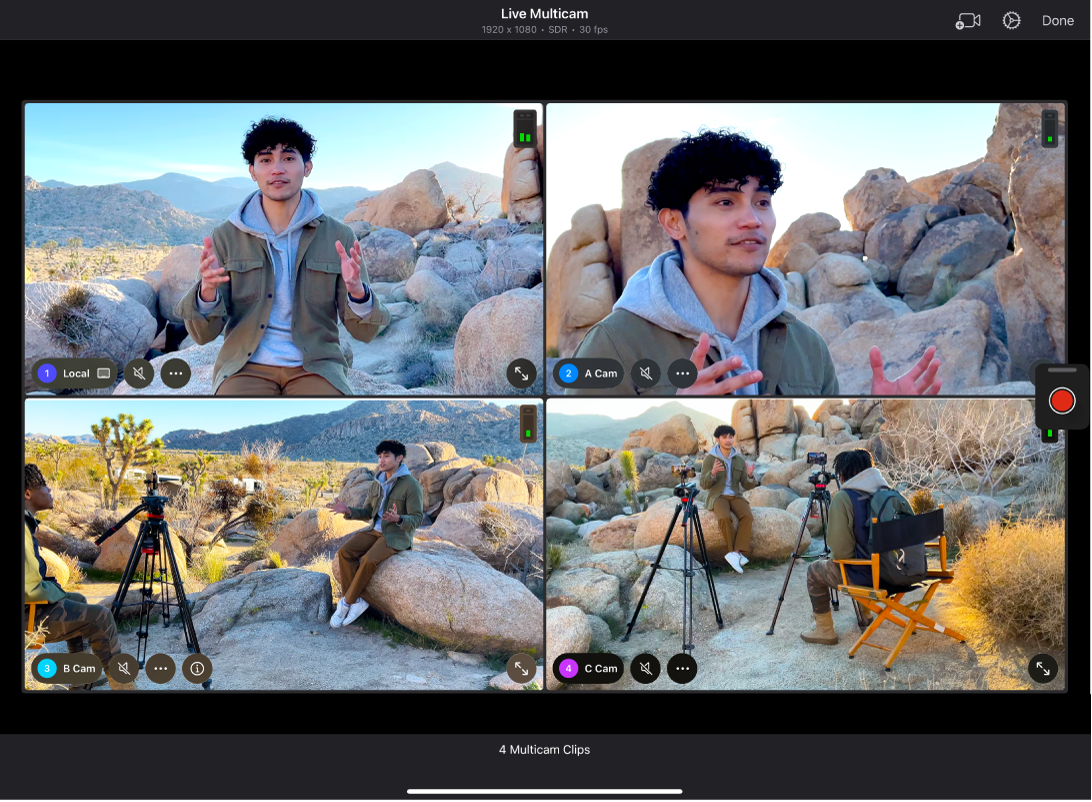
Multicam used to mean tripods, switchers, and a room full of cables. In 2026, multicam can be… an iPad on a table and up to four iPhone angles.
Apple’s Live Multicam in Final Cut Pro for iPad lets you connect up to four camera angles wirelessly, with iPhone (and iPad) running Final Cut Camera acting as remote pro cameras.
That matters because it lowers the friction for the kinds of content that are exploding in 2026: creator interviews, podcasts, tutorials, behind-the-scenes, and product storytelling—where the edit is the product, and multiple angles make it feel intentional.
Telephoto is the new creative frontier (and it’s changing how people see)
Wide lenses show the world. Telephoto lenses tell you what to look at.
In 2026, iPhone photography trends are leaning hard into reach—optical zoom ranges and longer telephoto options that make composition feel deliberate, cinematic, and emotionally focused. Apple’s iPhone 17 Pro specs highlight a broad optical zoom range (and Final Cut Camera even calls out using a 200mm telephoto camera on iPhone 17 Pro for more framing options).

For creators, that translates into a new visual habit: the telephoto—compression, separation, and “quiet detail” shots—wildlife at a distance, sports moments across a field, portraits that feel intimate without stepping into someone’s space.
The second layer is where mobile gets uniquely interesting: telephoto isn’t only for far-away. Pairing reach with close-focus solutions creates a style many creators are now chasing—tele-macro. You keep distance (useful for skittish subjects) while pulling in tiny details that feel impossible from a phone alone.
This is exactly where the ecosystem matters: once the iPhone has the baseline camera power, accessories and optics expand the creative range into looks you can’t fake with a digital crop.
Live streaming is evolving from “phone live” to broadcast-grade
The moment live video became a business model, creators started asking a new question: “How do I make live look like my edited work?”
In 2026, mobile cinematography is bleeding into live. Blackmagic’s camera app now supports direct live streaming to YouTube, Twitch, and Vimeo, plus SRT and RTMP options and better safeguards around external drive recording.
That’s not a niche feature set. It’s an admission that the iPhone is being used in environments where reliability and signal quality matter—events, worship, product drops, IRL streams, interviews, even small broadcast setups.
AI editing is becoming the invisible assistant (not the headline)
The goal of editing is rarely “AI.” The goal is finished. And in 2026, the editing tools are quietly removing friction from mobile photography—so creators spend more time shooting and less time cleaning up the frame.
Apple’s Photos app includes Clean Up, designed to remove distracting objects from an image with a few taps.
Meanwhile, Adobe Lightroom brought Generative Remove and AI Lens Blur to both desktop and mobile—tools that help you simplify a scene and shape attention without rebuilding everything manually.
The trend isn’t “AI replaces taste.”
It’s “AI removes the small obstacles so taste can show up faster.”
Mobile cinematography is being validated at the highest level
Trends become real when professionals bet reputations on them.
Danny Boyle’s 28 Years Later drew major attention for being shot (at least in part) using iPhones, including reports of creative multi-iPhone rigs for specific shots—showing that “shot on iPhone” can be more than a marketing phrase; it can be a production decision.
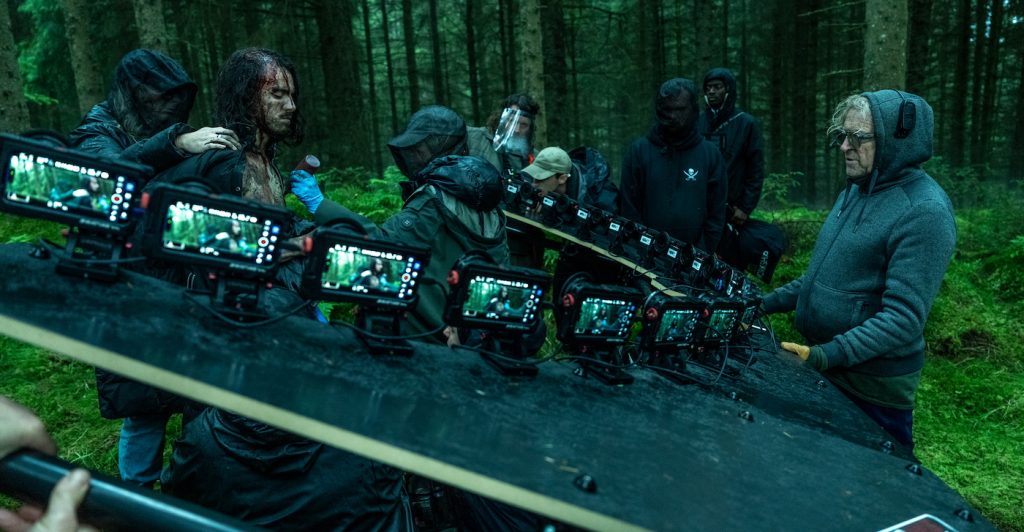
Even if most creators aren’t making a feature film, the impact trickles down: it normalizes mobile as a serious camera choice, and it pushes the entire ecosystem—rigs, lenses, audio, lighting, storage—forward.
The iPhone camera is becoming a system—and systems reward great gear
In 2026, the biggest iPhone photography trend isn’t one feature. It’s the direction: from camera to system. Capture is only step one; the future belongs to workflows that are easy to repeat and easy to grow—shoot, store, edit, share, and sometimes stream, all with intention.
And that’s where ShiftCam fits naturally: not as a replacement for the iPhone camera, but as the way you expand it—reach further, stabilize better, light cleaner, and build a setup that disappears until you need it.
- Apple Support — iPhone 17 Pro technical specs (ProRes RAW, ACES, Apple Log 2, Genlock, external storage recording).
- Apple Newsroom — Final Cut Camera 2.0 announcement (Log 2, timecode, iPhone 17 Pro capture features).
- App Store — Final Cut Camera listing (Log 2, ProRes RAW, timecode).
- Apple Support — Final Cut Pro for iPad Live Multicam (up to four angles; iPhone as remote cameras).
- App Store — Blackmagic Camera listing (streaming + SRT/RTMP support noted in updates).
- The Verge — Blackmagic Camera app update adding direct streaming + SRT, plus drive disconnect alerts.
- Blackmagic Design press release — Camera ProDock (timecode, genlock, SSD recording, etc.).
- The Verge — ProDock coverage (connectivity overview + positioning for iPhone 17 Pro).
- Apple Support — Apple Intelligence “Clean Up” in Photos (how it works).
- Adobe HelpX / Adobe Newsroom — Lightroom Generative Remove + Lens Blur (mobile + desktop).
- DPReview — Lightroom update coverage (Generative Remove + Lens Blur).
- WIRED — Reporting on 28 Years Later being shot with adapted iPhones.
- The Verge / DPReview — Additional reporting on multi-iPhone rigs for 28 Years Later.
Updated January 2026 to reflect the latest iPhone video workflows and camera apps.


Share:
7 Must-Know Tips for Capturing Spectacular New Year’s Eve Fireworks on Your Phone
The Mobile Gear You Actually Need for iPhone Photography in 2026